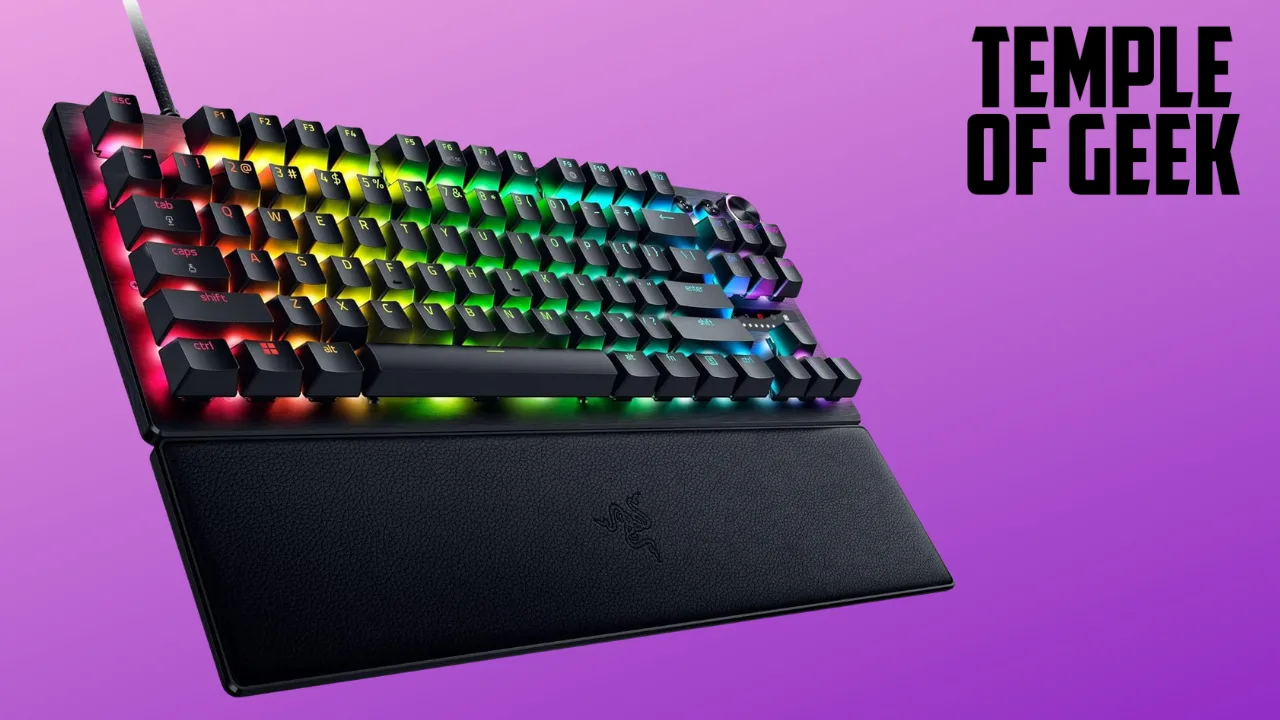
The Razer Huntsman V3 Pro Tenkeyless gaming keyboard is a serviceable piece of hardware with plenty of bells and whistles to customize your experience with. At a $219.99 price tag for this 75% model, which forgoes a number pad on the right side, you’re getting enough bang for you buck if you’re looking for a simple yet detailed new gaming keyboard. Razer was kind enough to send me a review copy, and I spent a couple dozen hours both playing games and using it for work. I even used it to write this review! I came away desperately missing the number pad while working, but I’m the outlier: the audience for this hardware is hardcore gamers. But everything else around it, from its smooth key strokes to the sheer amount of customization, earns a hearty recommendation from me.
I wanted to know how the Huntsman V3 Pro would fare across different genres. I started with Soulframe, an open-world MMO from Digital Eclipse that’s in early access. You play in third-person, but the mouse and keyboard controls are extremely intuitive. The first thing I adjusted was the Snap Tap feature. This allows you to prioritize the latest input between two selected keys without having to release the previous one. In short, if you’re in combat and moving left, you can keep holding left, press right, and your character will move right. Release moving right, and they’ll continue left. In Soulframe, this is particularly helpful when surrounded in combat, as fighting enemies in that game is very fast and frenetic. I also tested this out during a few matches of Overwatch, and it worked wonders there when trying to get out of a tense firefight.
Bells and Whistles
The key strokes themselves feel extremely smooth, and gone are the days of the super loud click-clacking of traditional mechanical keyboards. The keys do still snap, but in a much quieter way and in a way that sounds almost rubbery. In terms of aesthetics, the keyboard and accompanying wrist pad are all sleek black, with customizable RGB lights illuminating each key. There are also modular knobs for volume and mapping whatever you’d wish, as well as a media button to control your playing YouTube video or Twitch stream.
The basic customization options for the RGB lights, accessed via Razer Chroma, are a bit lacking. I have mine set to light up the whole board, cycling through every color. But you can also program it to do a wave movement, have each key light up, and a couple others. I was hoping for a bit more stylish options here, so it loses marks for that, but just barely.
The real bread and butter, mentioned before, is its suite of technical customization options. Snap Tap is one that could be utilized well in most games, and there’s even a profile swap option you can use on the fly to take full advantage of your preferred configurations. The Huntsman V3 Pro’s most enticing feature, however, is the quick point actuation adjustment. This allows you to adjust how far down you need to press your keys before it’s registered in-game. So if you have a high actuation point, your presses will register will less pressure, and vice versa.

“[After just 10 minutes[, I found my sweet spot”
You can adjust all of the hardware’s technical adjustments directly on the keyboard using different key commands. This makes changing things up on the fly extremely convenient. When adjusting quick point actuation, there’s an LED indicator on the right that determines how sensitive your key strokes will be. I tried the whole spectrum, and found that the highest actuation point is terrible. It seemed like just breathing on it would activate the input, and I found myself shooting my gun or activating abilities at very inopportune times. After much adjusting, which took all of 10 minutes, I found my sweet spot.
Is It Comfortable?
The next useful features this keyboard offers is quick rapid trigger adjustment. This brings your key inputs to a much quicker reset point, going as low as 0.1mm. This allows for much quicker repeated key presses, and help tremendously with responsiveness. Like when adjusting quick point actuation, you’ll use the LED ticker to find your sweet spot. This is also my favorite overall feature of the keyboard, and in games like Soulframe helped me activate life-saving abilities without tiring out my fingers.
For comfort, the compact nature of the Huntsman V3 Pro helps with not only making space on your desk, but moving around the keyboard at a moment’s notice. The underside of the hardware has a two-mode kickstand to angle it to your liking, and the leather wristpad is magnetic can be removed extremely easily. I played games both with and without the wristpad, and highly recommend keeping it around for long gaming sessions.
Verdict
The Razer Huntsman V3 Pro gaming keyboard is a great jumping-on point for new PC gamers looking to up their game. Its compact size and technical customization options truly help you find the best way to play. Being able to adjust straight from the keyboard instead of having to download a software is incredibly convenient and intuitive, and the limited comfort options are useful for longer stretches of gaming. I do, however, wish that the RGB customization options were a bit more robust. There’s plenty of modularity with this keyboard depending on your preferred genres, and its suite of quick-swappable key profiles make it one of the most versatile entry-level keyboards on the market.
Myles’ Score: 8/10